Integration#
Work with Integration#
The integration generates a piece of code based on certain configuration parameters, which can be embedded into other websites. This code allows you to quickly use UnifySearch’s search and chat capabilities.
Integration API#
Below is the field description for the integration.
| Field | Type | Description |
|---|---|---|
name | string | The integration’s name. |
type | string | The integration type. Possible values: embedded, floating, all, fullscreen. |
datasource | array[string] | List of datasource ID associated with the integration. e.g., ["cvei87tath20t2e51cag"]. |
enabled_module.search | object | Configuration for the search module, e.g., {"enabled": true,"placeholder": "Search whatever you want..."}. |
enabled_module.ai_chat | object | Configuration for the AI chat module, e.g., {"enabled": true,"placeholder": "Ask whatever you want..."} |
enabled_module.features | array[string] | List of enabled features, e.g., ["think_active","search_active","chat_history"]. |
payload.ai_overview | object | Configuration for the ai overview module of fullscreen, e.g., {"enabled": true,"title": "AI Overview","assistant": "ai_overview","height": 200,"output": "markdown",logo: {"light": "..."}}. |
payload.ai_widgets | object | Configuration for the ai overview module of fullscreen, e.g., {"enabled": true,"widgets": [{"title": "AI Overview","assistant": "ai_overview","height": 200,"output": "markdown",logo: {"light": "..."}}]. |
payload.logo | object | Configuration for logo of fullscreen, e.g., {"light": "...","light_mobile": "..."}. |
payload.welcome | string | Configuration for greeting message of fullscreen |
access_control.authentication | boolean | Enables or disables authentication. |
access_control.chat_history | boolean | Enables or disables chat history. |
appearance.theme | string | The display theme. Options: auto, light, dark. e.g., auto. |
cors.enabled | boolean | Enables or disables CORS requests. |
cors.allowed_origins | array[string] | List of allowed origins for CORS requests. |
description | string | A brief description of the integration. |
enabled | boolean | Enables or disables the integration. |
Create a Integration#
//request
curl  -H 'Content-Type: application/json'   -XPOST http://localhost:9000/integration/ -d'
{
     "type": "embedded",
    "name": "test_local",
    "datasource": [
      "d895f22ed2ff25ad8c6080af1cc23a21"
    ],
    "enabled_module": {
      "search": {
        "enabled": true,
        "placeholder": "Search whatever you want..."
      },
      "ai_chat": {
        "enabled": true,
        "placeholder": "Ask whatever you want..."
      },
      "features": [
        "think_active",
        "search_active",
        "chat_history"
      ]
    },
    "access_control": {
      "authentication": true,
      "chat_history": false
    },
    "appearance": {
      "theme": "auto"
    },
    "cors": {
      "enabled": true,
      "allowed_origins": [
        "http://localhost:8080"
      ]
    },
    "description": "test website",
    "enabled": true
}'

//response
{
  "_id": "cvj9s15ath21fvf9st00",
  "result": "created"
}
View a Integration#
curl -XGET http://localhost:9000/integration/cvj9s15ath21fvf9st00Delete the Integration#
//request
curl  -H 'Content-Type: application/json'   -XDELETE http://localhost:9000/integration/cvj9s15ath21fvf9st00

//response
{
  "_id": "cvj9s15ath21fvf9st00",
  "result": "deleted"
}'
Update a Integration#
curl -XPUT http://localhost:9000/integration/cvj9s15ath21fvf9st00 -d '{
    "type": "floating",
    "name": "test_local",
    "enabled_module": {
      "search": {
        "enabled": true,
        "placeholder": "Search whatever you want...",
        "datasource": [
          "d895f22ed2ff25ad8c6080af1cc23a21"
        ],
      },
      "ai_chat": {
        "enabled": true,
        "placeholder": "Ask whatever you want..."
      },
      "features": [
        "chat_history"
      ]
    },
    "access_control": {
      "authentication": true,
    },
    "appearance": {
      "theme": "auto"
    },
    "cors": {
      "enabled": true,
      "allowed_origins": [
        "http://localhost:8080"
      ]
    },
    "description": "test website",
    "enabled": true
}'

//response
{
  "_id": "cvj9s15ath21fvf9st00",
  "result": "updated"
}
Search Integrations#
curl -XGET http://localhost:9000/integration/_searchIntegration UI Management#
Search Integration#
Log in to the UnifySearch-Server admin dashboard, click Integration in the left menu to view all Integration lists, as shown below: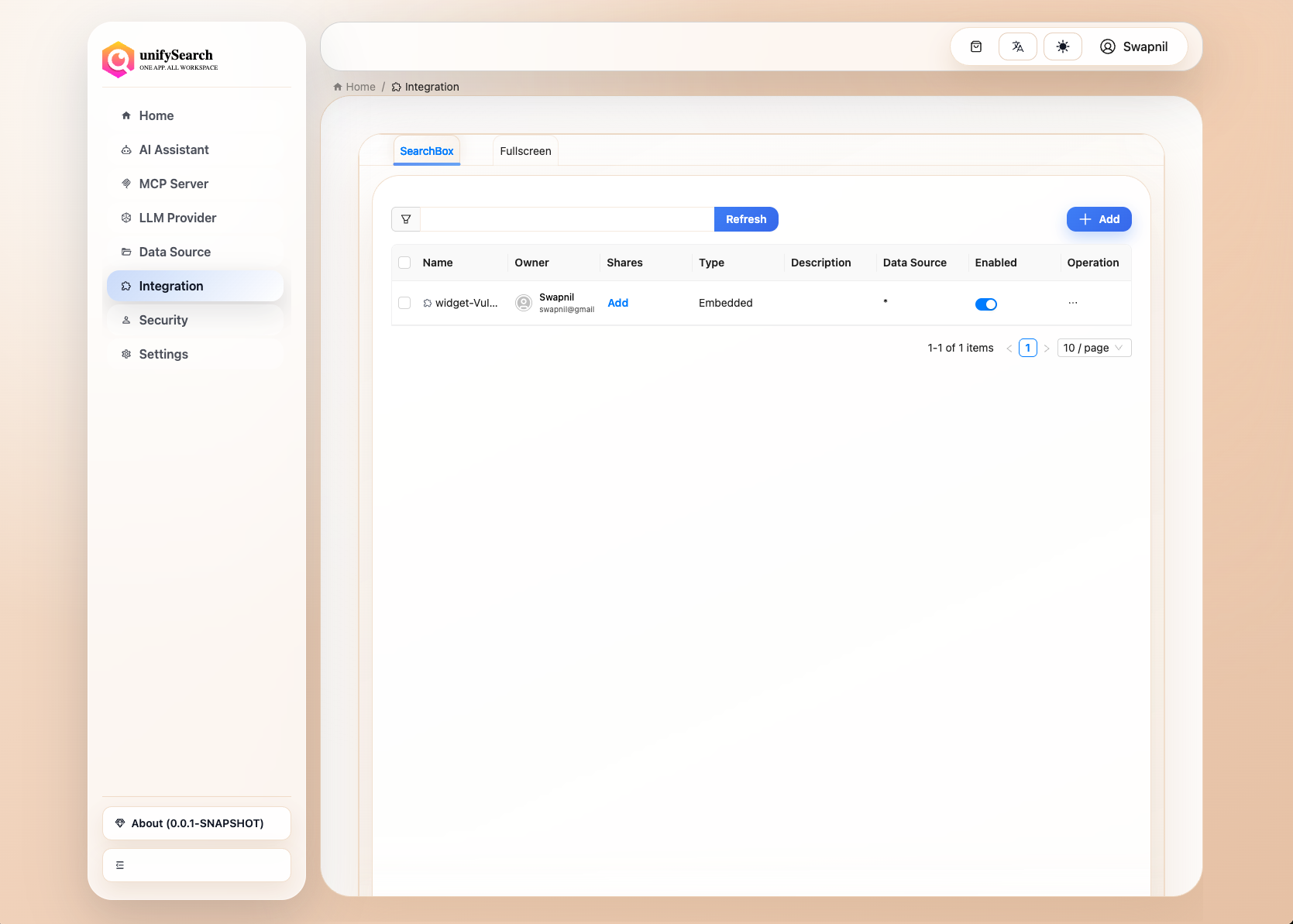
Enter keywords in the search box above the list and click the Refresh button to search for matching Integrations, as shown below: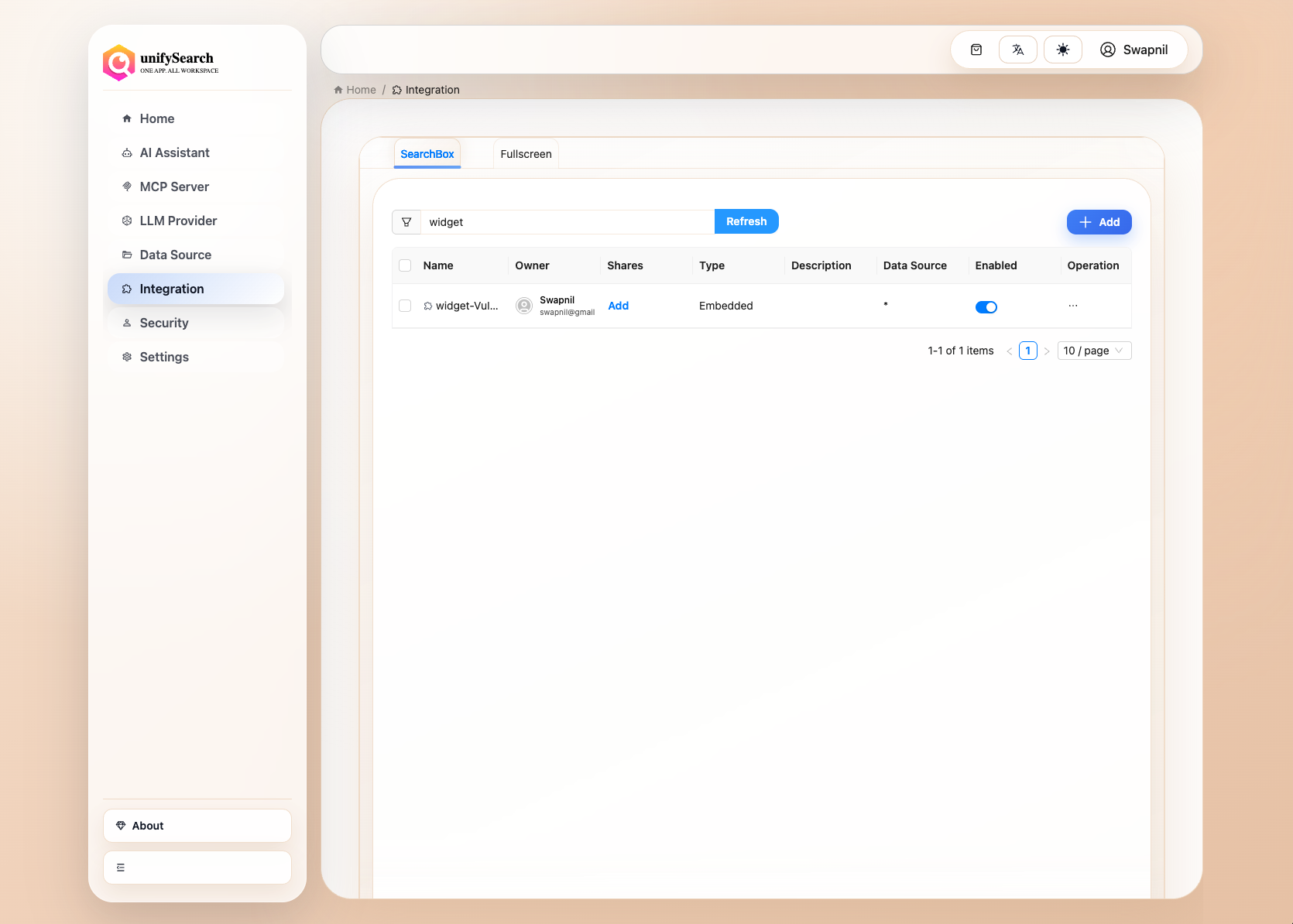
Add Integration#
Click Add in the top-right corner of the list to create a new Integration, as shown below: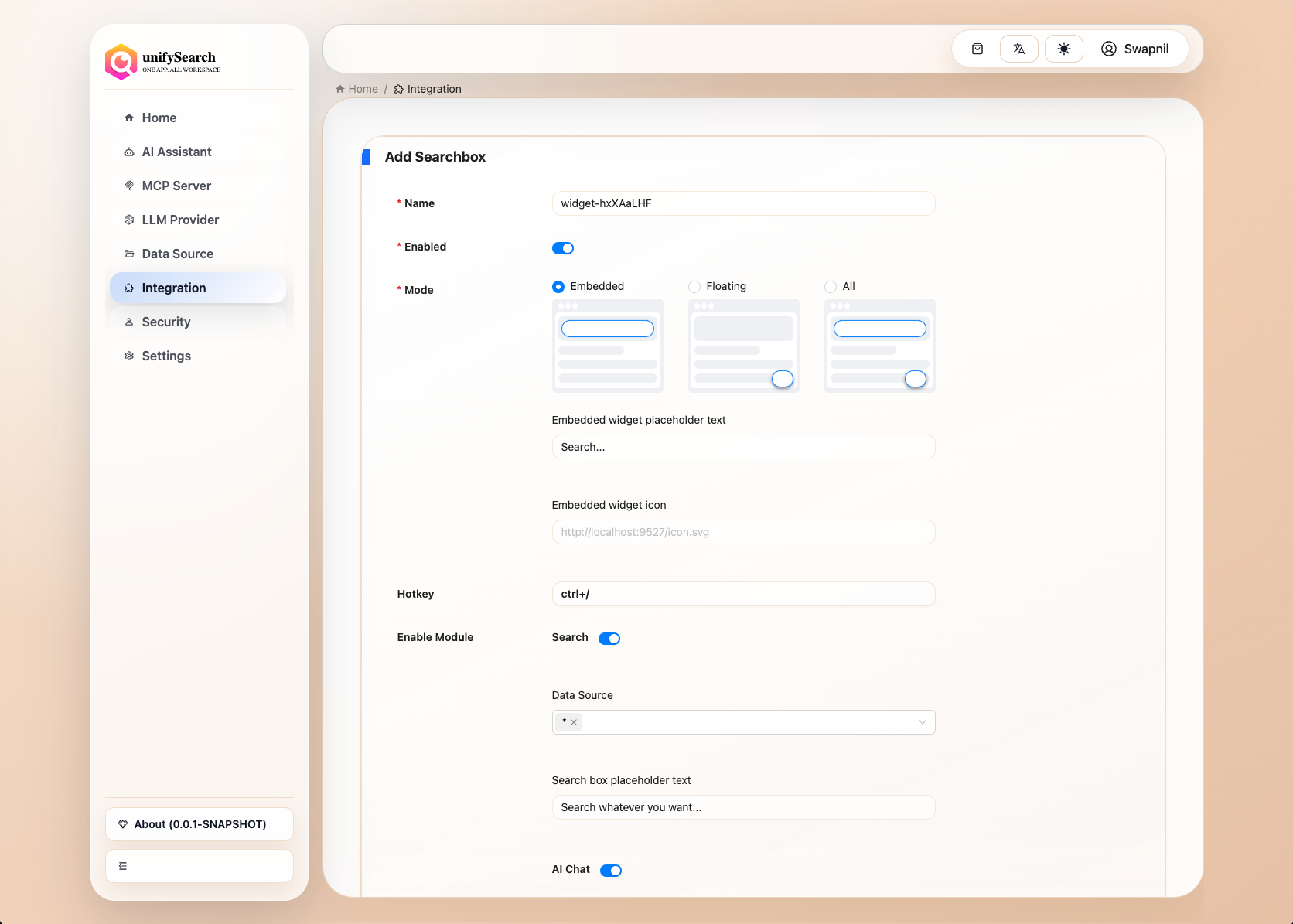
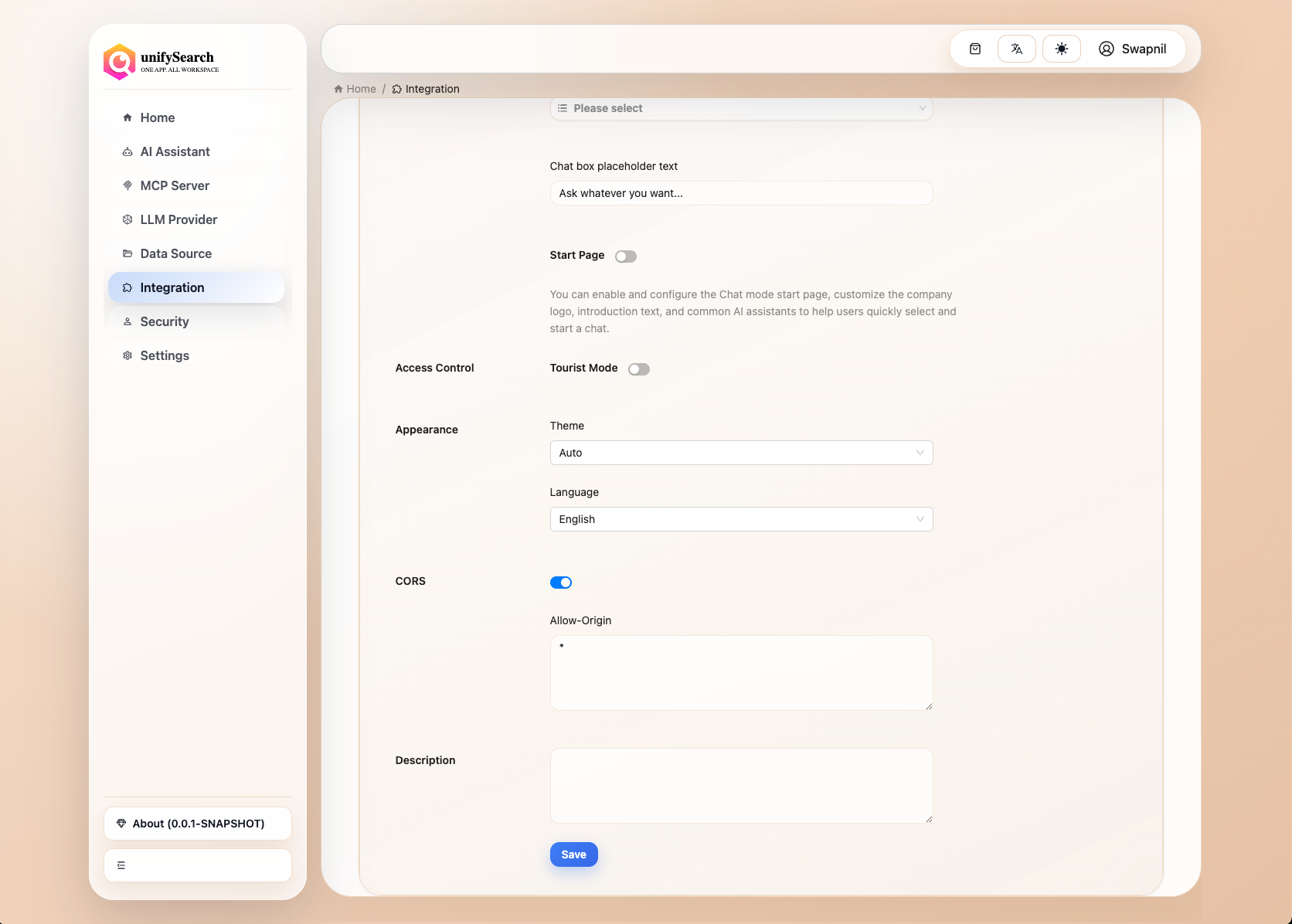
The system provides default values for the Integration configuration. Modify these values as needed, then click the save button to complete the creation.
Delete Integration#
Select the target Integration in the list, click Delete on the right side of the entry, and confirm in the pop-up dialog to complete the deletion. As shown below: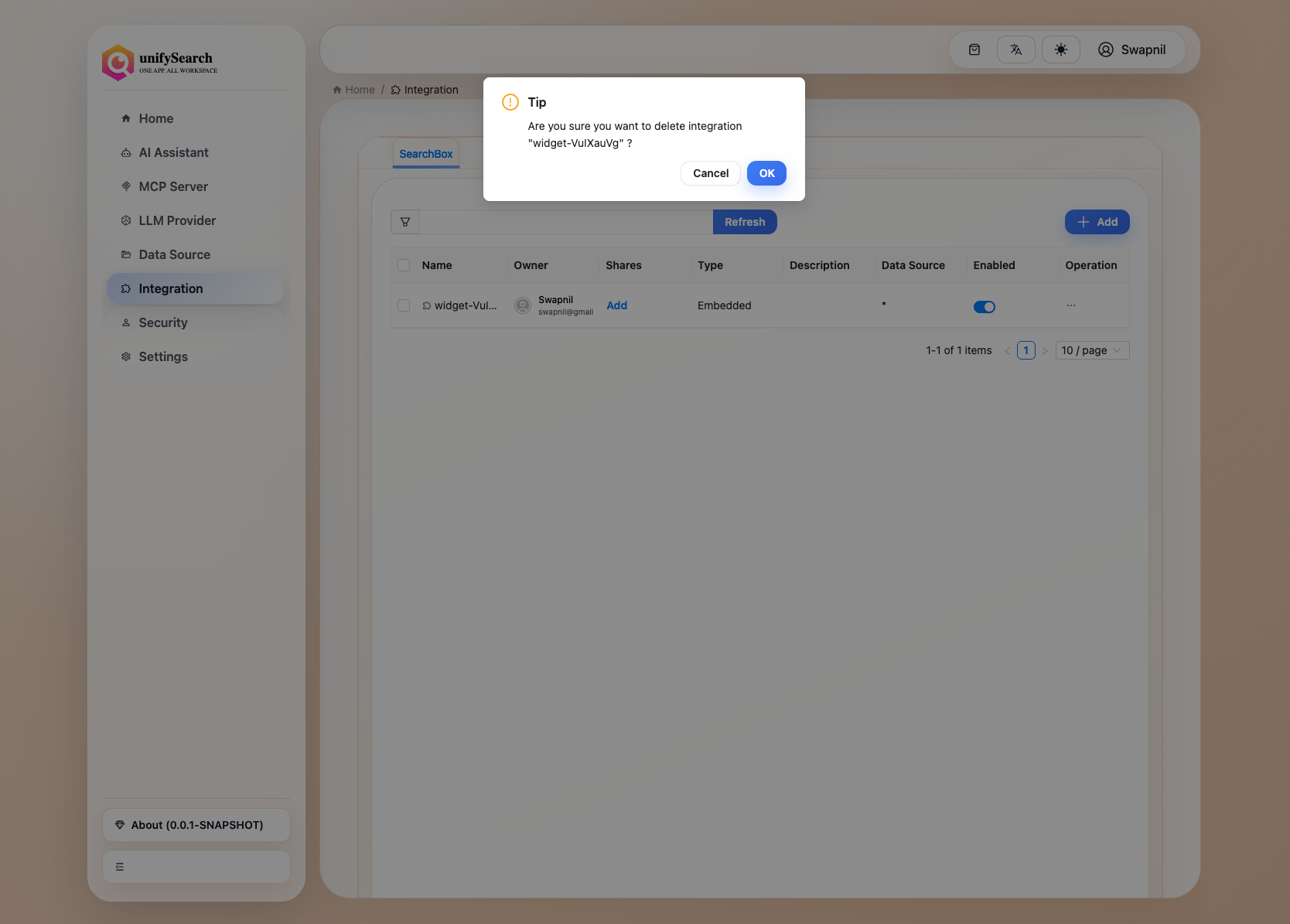
Edit Integration#
Select the target Integration in the list, click Edit on the right side to enter the editing page. Modify the configuration and click save to update. As shown below: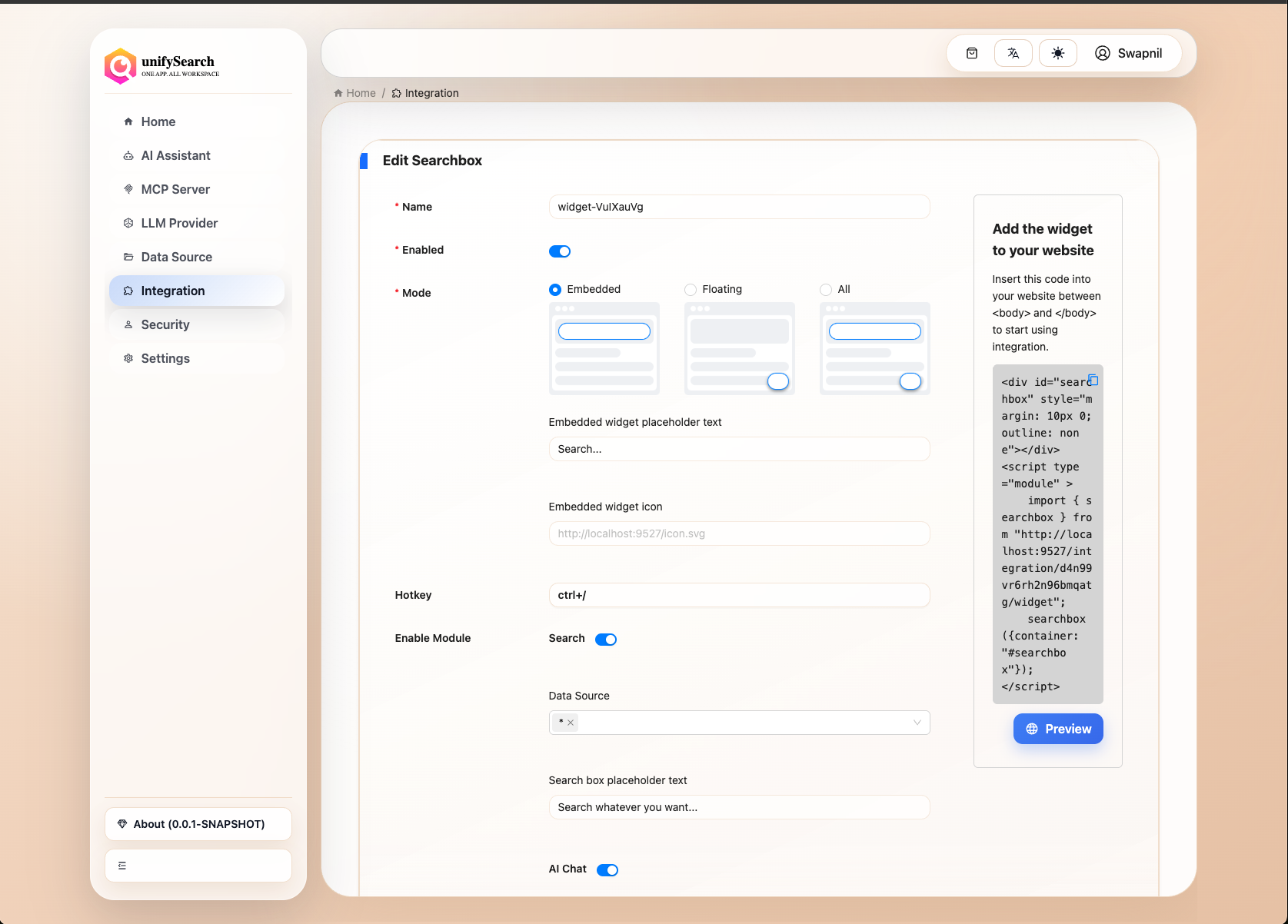
Preview Integration#
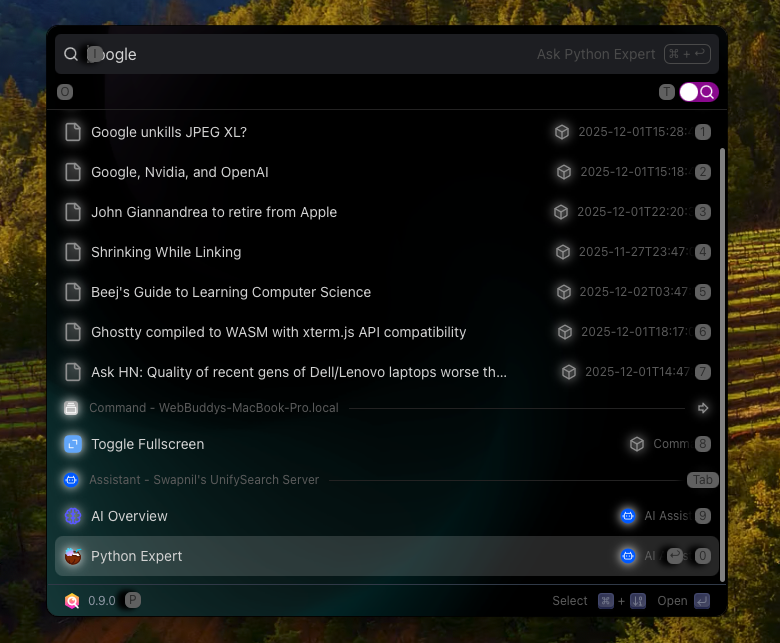
Click the Preview button on the right side of the Integration editing page to see the current Integration’s effect, as shown below:
SearchBox
Fullscreen


The preview feature allows testing search and chat functionalities.
Renew Token#
Select the target Integration in the list, click Renew Token on the right side of the entry.